Mini Pro 2: there is nothing left to connect to
If you have a Mini Pro 2 and it will not join Wi-Fi, stop trying to make it. The EO Smart Home service that the connection fed was switched off on 30 November 2025. Even a perfect connection would give you nothing: no app, no schedule from the cloud, and no reliable access to history.
The charger does not need the internet to charge. Plug in, it charges. Any load management set on the unit runs locally. That is the whole of what a Mini Pro 2 does now, and it does not depend on your router.
If you want smart charging back, the route is a swap to a supported charger, not a network fix.
Mini Pro 3: how it connects
The Mini Pro 3 talks to the ev.energy platform over your home Wi-Fi, or Ethernet if the installer ran a cable, or a built in SIM on the GSM variant. When a Wi-Fi unit drops, the causes are nearly always ordinary.
Signal. EO’s own guide is blunt that Wi-Fi strength at the charger depends on distance, walls and what is between the router and the unit, and ev.energy’s guidance is that the signal reading needs to be reasonably strong, above roughly 20 per cent, for a stable link. A charger on an outside wall with the router at the far end of the house is a common failure.
A changed router or password. New provider, new router, new password, and the charger is still trying the old one.
A unit that was never fully commissioned. During installation the charger is set up through its own hotspot and web page. If that step was rushed, the charger may charge perfectly and never quite reach the platform.
Interference. Some owners find the charger connects to a mesh node that keeps handing it off. Pinning it to the nearest node, or the 2.4 GHz band, often settles it.
Reconnecting a Mini Pro 3
The mechanism EO built for installers is available to you as well, though it helps to have the access label that came with the charger.
- Switch the charger off at its breaker for ten seconds and back on.
- Within about ten minutes of powering up, the charger broadcasts its own Wi-Fi hotspot, named eo followed by a long number. Join it from a phone or laptop using the credentials on the access label.
- Open a browser and go to 10.10.10.1. Accept the security warning; it is a local page, not the internet.
- Log in with the credentials on the label and open the network settings. Choose your home Wi-Fi and enter the current password.
- Disconnect from the hotspot. The light should sit at pulsing blue. EO’s user guide says allow up to ten more minutes for the unit to reach the platform, and ev.energy’s guide says ten to fifteen before it shows in the app.
Then check the ev.energy app. If the charger appears and the light is pulsing blue, you are done.
When it is not the Wi-Fi
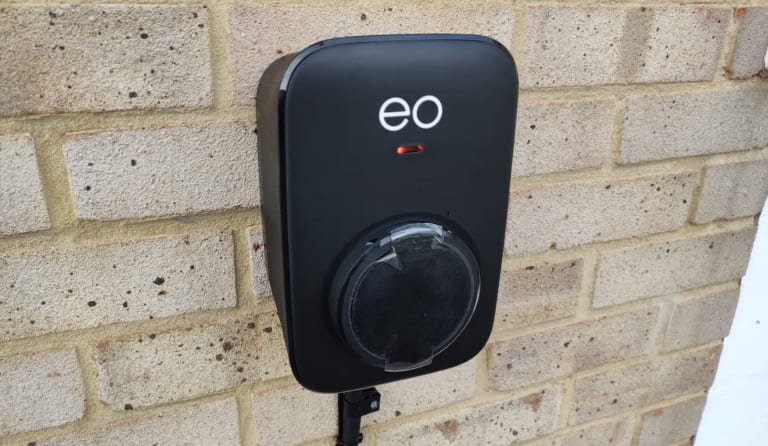
If the light is red, or there is no light, the network is not your problem. Go to our page on what a red light on an EO Mini Pro means and treat it as a fault.
And if you have done the steps above twice and it still will not hold, tell us where the router is and where the charger is. The fix is often a small aerial change, a node moved, or a cable, rather than anything wrong with the unit.