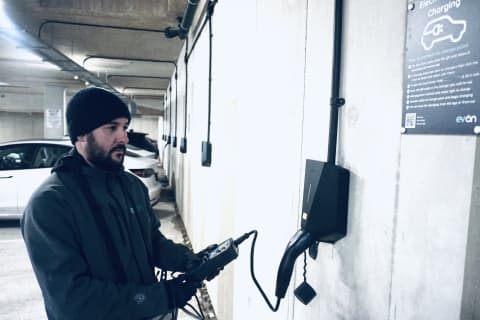
What we do first when an Ohme is dead
Before anyone talks about resets, we go to the breaker or RCD that feeds the charger and test for voltage on the incoming side and the outgoing side. That one test tells us whether the breaker itself has failed. From there we work towards the charger. If there is voltage at the charger with the breaker on, the fault is in the charger. If there is not, we work back through the isolator, if one is fitted, and then to the main breaker.
Most of the time the fault is not the Ohme. They are robust units. It is the equipment upstream, the RCD or the breaker that supplies it.
The breaker reset that works on every Ohme
This is the one Ohme recommends for almost everything, from an offline charger to a screen that looks wrong. In plain terms:
- Unplug the charger from the car.
- Find the switch that feeds the charger. It is either a stand alone breaker near your fuse board or a labelled switch inside the fuse board itself. Your installer should have marked it.
- Switch it off and leave it off for fifteen minutes. Ohme is specific about the time, because it lets the charger drain and shut down properly.
- Switch it back on. The charger takes up to a minute to power up, reconnects over 4G, and installs any update it was waiting for.
If the charger’s own RCD has tripped, the Home Pro manual says a shorter version works. Off, wait five seconds, on. Or simply unplug the car and plug it back in.
There is no dedicated reset button on any Ohme (the ePod’s Stop button doubles as one, below), and Ohme’s own route to a reboot is the breaker, not the app. So for most people, the breaker is the reset. It is also something we can talk you through on the phone, and there is no charge for that call.
How to reboot the ePod from the buttons
The ePod has three touch buttons on the front, and Ohme’s manual gives them more jobs than most owners realise:
| Do this | What happens |
|---|---|
| Press Play | Start or resume a charge |
| Hold Play for 3 seconds | Max Charge, full speed now |
| Press Pause | Pause the session |
| Hold Pause for 3 seconds (only when the charger is offline) | Delay Max Charge by two hours, up to eight |
| Press Stop | Cancel the session |
| Hold Stop for 10 seconds | Reboot the charger. Ohme’s button table says 3 seconds, its light guides say 10. Ten covers both |
| Hold all three for 5 seconds | Accept a remote configuration request |
So an ePod that has frozen, or is showing a blinking red corner (Ohme’s “reboot required” state), gets a reboot without going near the fuse board. If the buttons themselves are locked you will see purple when you touch them. That is a setting in the app, not a fault.
How to restore Home Pro firmware from the buttons
The Home Pro has no reboot button, but it has something more useful, and Ohme lists it as a first troubleshooting step for display glitches, unresponsive screens and connectivity that a breaker reset has not fixed. It only works while the charger is powered and the buttons respond.
- Put one finger on each of the three blue touch buttons and hold all three at once, until a central menu appears. This works from any screen.
- Three options show. Press and hold the right hand button to choose Restore firmware. It turns yellow to confirm.
- The charger reboots and restores the firmware it was installed with. A progress bar shows and it may restart more than once. Do not switch it off while this runs.
- When it finishes it returns to where it was, your account stays linked, and if a newer firmware exists it fetches it on the next reboot.
Ohme’s page for this sits in the installer section of its help centre, which is why most owners never find it. It is safe to do and it does not wipe anything.
Firmware can throw a charger off on its own. We have had cases where the fix was a call to the manufacturer to revert the unit to the previous firmware, get it back online, and then have the new version pushed through again.
How to unpair the car in the Ohme app
If the charger works but the app has lost track of the car, or a smart tariff has stopped talking to it, the reset is in the app rather than on the wall. Ohme’s steps are Settings, My EV, Unpair my EV. Plug the car in for thirty seconds, unplug it, then Pair my EV again. Ohme also suggests trying a charge with the car API unpaired if you have an odd charging problem that will not pin down, because with no car data the charger simply assumes an empty battery and schedules from there.
Which Ohme reset for which problem
| Problem | Try first |
|---|---|
| Offline in the app, screen says connecting | Breaker, fifteen minutes |
| ePod blinking red corner | Hold Stop 10 seconds |
| ePod solid red corner | Breaker first. If it stays solid red, Ohme’s guide says contact Ohme support |
| Home Pro screen glitchy or unresponsive | Three button firmware restore |
| Charging slower than expected after an update | Breaker, two minutes, then check the firmware version. If still on 2.62 after half an hour, ask Ohme for an update |
| App cannot see the car, tariff not linking | Unpair and re pair the car |
| Breaker itself has tripped | Off, five seconds, on. If it trips again, stop and call. A breaker that has been tripped and reset many times is often worn out. We replace it and find what it was tripping at |
When a reset will not fix your Ohme
If you are resetting the same charger every few days, the reset is masking something. Weak 4G at the wall, a supply voltage that keeps drifting outside limits, a car setting fighting the schedule, or a unit that is failing. Each of those has its own page here, and each is quick to diagnose from a photo and a description. A charger under three years old that keeps needing resets is also a warranty conversation with Ohme, and worth having before the three years are up.
The one we see most is the breaker. Every breaker is rated for a set number of operations. Each time it trips under load the contacts wear a little, and a breaker that has tripped many times and been switched straight back on each time eventually fails. It will not hold in, or it trips at nothing, or it holds but drops voltage under load so the charger behaves as if the supply is bad.
As bad as it sounds, that is a good position to be in. We carry spares on the van, a replacement costs between £20 and £50 depending on the type and the make, and once it is in we test the whole circuit and get the charger running again on the same visit. The one thing we do not do is stop there. A breaker that tripped that many times was tripping at something, so we find that as well, or the new one goes the same way.